Seller

Seller

You cannot find an event: how can you add it?

1 min read 0 views

If you cannot find an event in the list, you can create one on our site.

Once the event you created has been reviewed and approved by our team, its page will become visible on the site. At that point, you’ll be able to set up a ticket alert.

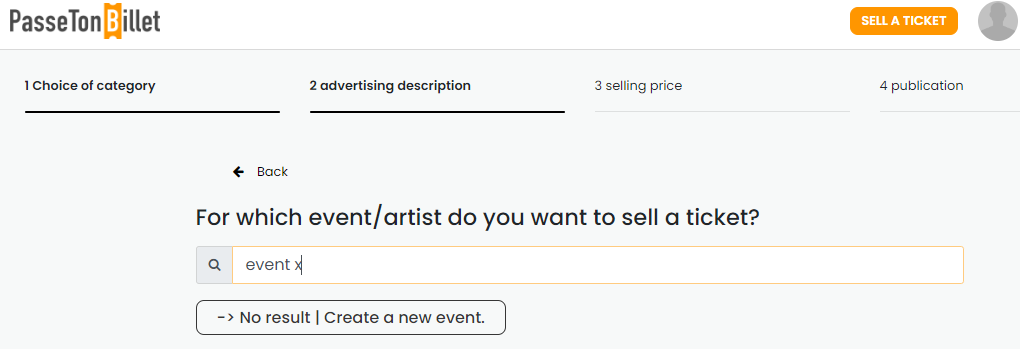
  1. Go to “Resell a ticket”.
  2. Enter the name of your event.
  3. If the event is not listed, click the “Create a New Event” button at the bottom of the page.
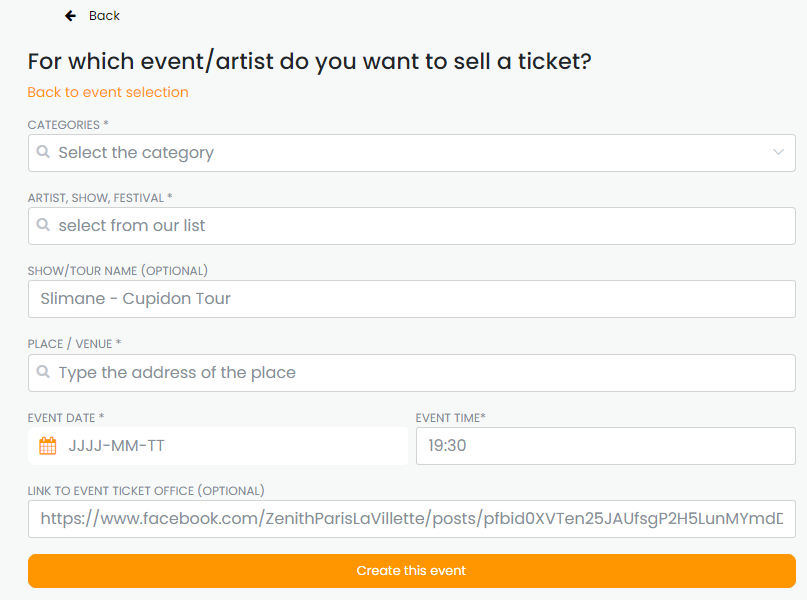
  1. Enter your event information

Still need help?

Tell us the event and include your order number if you have it.

Email support

Beware of scams

Tickets on Facebook: beware of scams

We advise against buying or reselling tickets on Facebook.

This also applies to Marketplace, groups and Messenger.

Fake sellers, fake buyers, fake tickets: scams are a real risk.

Use the event’s official ticket exchange, whether it’s on PasseTonBillet or elsewhere.

Fake profiles use our name and logo to contact you on Facebook and try to sell you tickets. Those messages aren’t from us. Don’t reply, click any links, or send money or tickets.

Our only official accounts: Instagram · LinkedIn

Read our tips for avoiding scams